This week, we are spending more time getting comfortable with Affinity, including a hands-on exercise sampled from the Vector Methods course. We will also explore in more depth the power, impact and meaning of color in design.
When you open Affinity, you can view helpful tutorials in the Welcome Window.
How do you access the Welcome Window once you are in a project?
Where can you find options for the dimensions and other presets for your document?
Where is the toolbar located by default?
How can you find the name and a preview of a tool in the toolbar?
What are the 3 main preset studios in Affinity? (check all that apply)
From our lesson video, which studio will we be mostly using in Page Design?
Which mode will make your vector images appear grainy?
The Layers panel is very important: where can you find it on the Affinity screen?
The contextual bar at the top will change what it shows depending on what you select.
Accepted file type: PDF. Max size 10MB.
What is the difference between the Move, Node, and Freehand selection tools?
What is the purpose of an artboard in Affinity?
Which tool will select the whole vector shape?
Which tool will select individual anchor points or their handles?
Which of the following are functions of effective Color Harmonies? (check all that apply)
What are the 3 primary colors in the traditional color wheel?
What tool was assembled by Sir Isaac Newton to help organize colors & understand their relationships?
What are the 4 main qualities of any color you can select?
What do we call the saturated versions of colors we see when rotating around a color wheel?
What quality determines the vibrance of a color?
What happens when we desaturate a color?
What quality determines the relative lightness or darkness of a color?
What is the difference between a tint, a shade and a tone?
What influences the temperature of a color?
What characteristics do monochromatic schemes have?
What are complementary schemes good for?
What is the difference between split complementary and a traditional complementary scheme: what can a split complementary add to your composition?
What qualities do triadic schemes have?
What tip can help you make a tetradic scheme most effective and balanced?
What are benefits of an analogous scheme?
Review the locations of your template colors on the color wheel: what color scheme have you created?
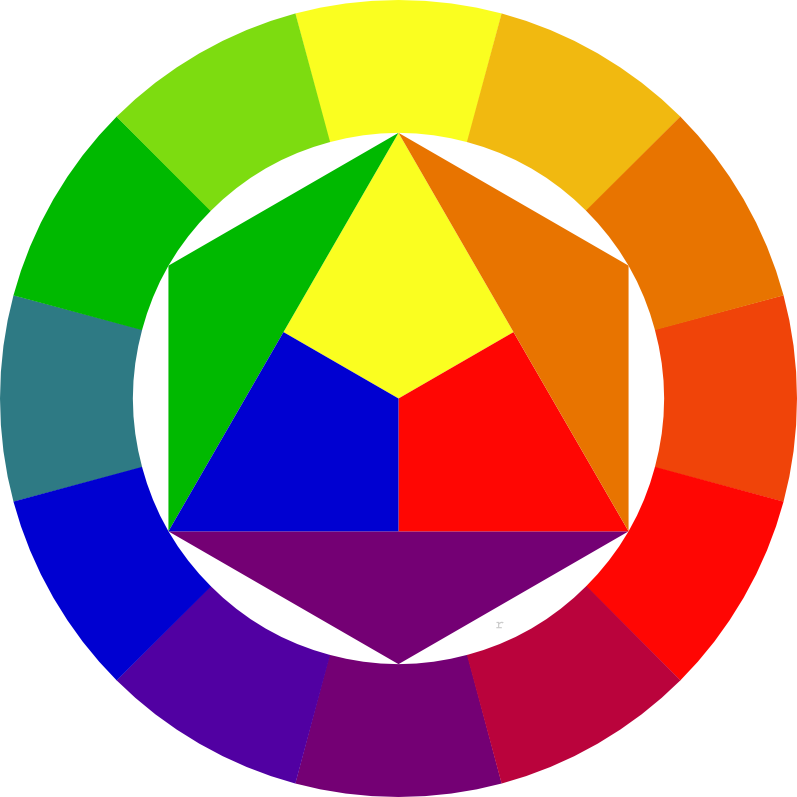
Itten Color Wheel: Wikimedia Commons